
CFSurrey Introduces a New, Easier Way to Apply for Grants
At CFSurrey, we are committed to making our grant application process as accessible and user-friendly as possible. As part of this, we have introduced Plinth, a new online platform designed to simplify how organisations apply for funding and manage their applications.
What is Plinth?
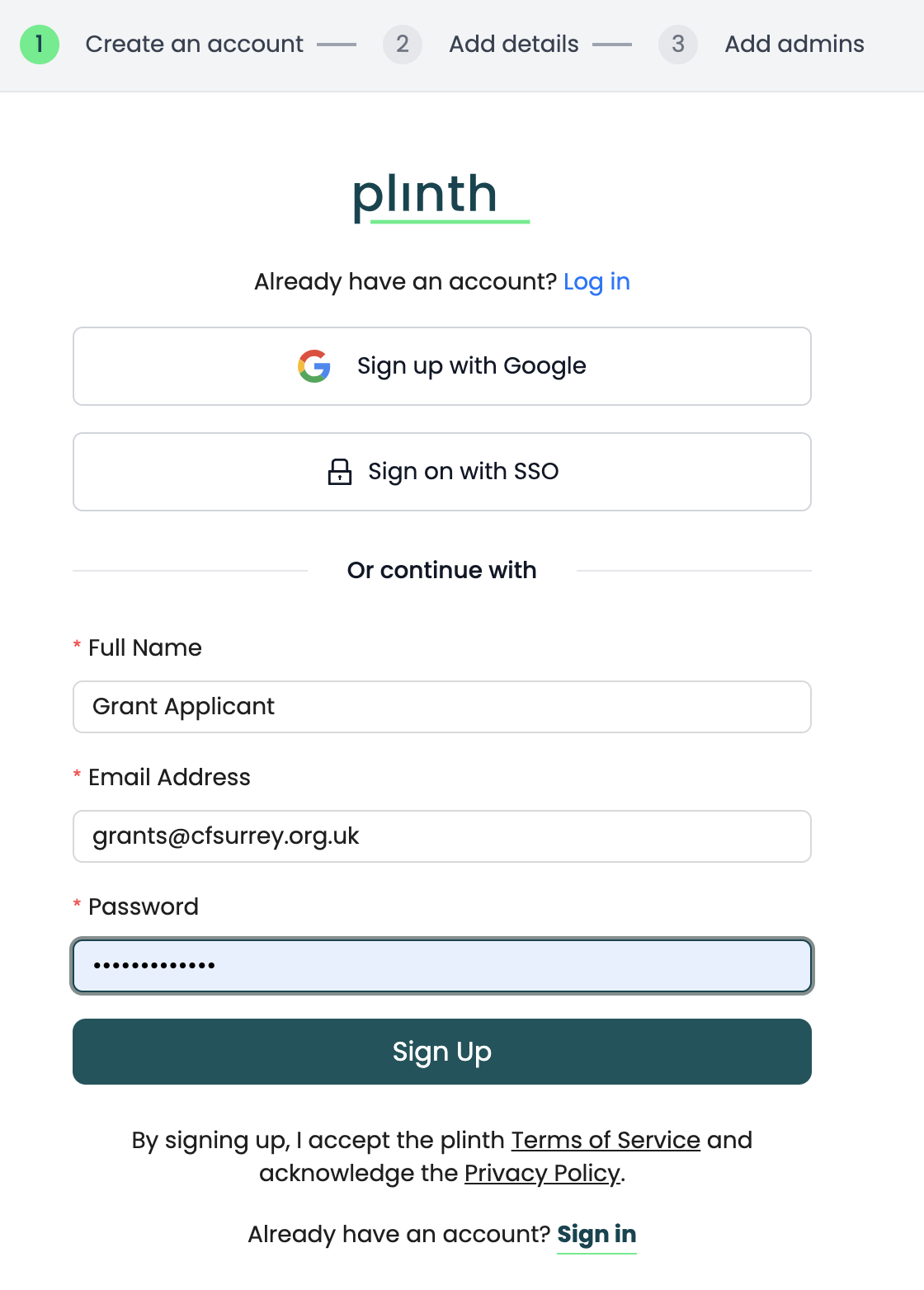
Plinth is our online application system that allows organisations to securely access and complete grant applications. Applicants create a login to access their forms – this is a one-time setup, and the same account can be used for future applications.
Initially this new approach will apply to the following CFSurrey programmes:
Main Grants Programme
Creative Wellbeing Programme
Strategic Transformation Programme
We will be rolling the Plinth system across all programme over the next few months.
How to Use Plinth
To ensure a smooth experience, we ask all applicants to follow these best practices:
1. Create one account per organisation
Each organisation should have a single Plinth account that is used for all applications.
2. Invite colleagues to join your account
If multiple people need access, they should be invited to the existing account rather than creating a new one. Different access levels can be assigned depending on roles.
We recommend that you set up at least two people in your organisation’s Plinth account. Other team members can then view the application's progress, complete follow-up actions, submit monitoring report or apply for future funding opportunities.
You can invite them to join your existing organisation account from the Settings page, just click on the “Invite new user” button. See the FAQs below for a screen grab showing where this is.
3. Use the same email address throughout your application journey
This helps ensure your Expression of Interest and any follow-up applications are correctly linked within the system.
You must remember your personal login to your Plinth account - if you forget your password click the help button at the bottom right of the screen to contact Plinth for a reset - please don't create a new account. Sadly, we are unable to troubleshoot from within the CFSurrey Team, but colleagues at Plinth are helpful and responsive. See FAQs below to show a screen grab of the Help tool and more information.
4. Manage everything in one place
Your account allows you to:
Complete and submit applications
Track progress
Access grant agreements
Submit monitoring information
Apply for future funding opportunities
What Are the Benefits of Plinth?
Plinth has been introduced to make applying for funding more flexible, efficient, and supportive for organisations:
Save your progress and return to your application at any time
Complete applications at your own pace without losing information
Collaborate with colleagues through shared account access
Keep all applications in one place for better visibility and management
Some FAQs to help you further….
Do I need to create a new Plinth account for my full application?
No. If you submitted your Expression of Interest (EOI) through Plinth, you should use the same account and email address to access your full application.
Please do not create a new account. Using the same account helps ensure your EOI and full application are correctly linked.
Can more than one person in my organisation access the application?
Yes. Each organisation should have one Plinth account, which can be accessed by multiple team members.
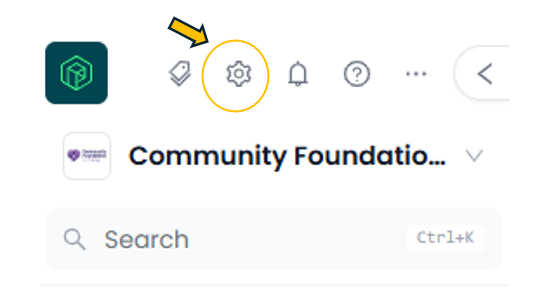
Settings Cog
If colleagues need to work on the application, the account owner can invite them through the Settings page in the Organisation view by selecting the cog icon at the top of the left menu (as shown) and then the “Invite new user” button. Different levels of access can be assigned, and these can be changed later if needed.
We recommend having at least two people from your organisation set up on the account where possible, so that there is shared access to applications and any follow-up actions.
What if someone in my organisation has created a separate Plinth account or we have a duplicate?
Please do not start a new application using the duplicate account.
Creating a second account for the same organisation can mean that existing applications are not visible, progress cannot be tracked, and important grant agreement or monitoring tasks may not be accessible.
What if I have a problem with my account?
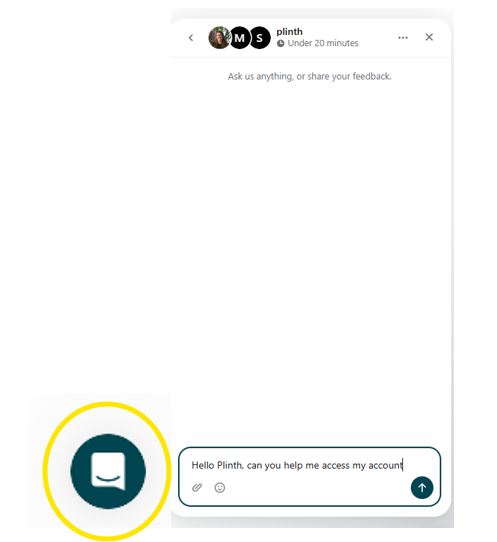
Plinth’s Help Tool
If you have a problem with your Plinth account – for example, you are experiencing an issue accessing your account – please use the Help button in the bottom right-hand corner of the Plinth portal.
This will connect you with a (human!) member of the Plinth team very quickly who can help resolve account-related issues.
CFSurrey is unable to amend or troubleshoot individual user account details, so please contact Plinth directly through the Help button for this type of support.
Please don't create a new account if you are having trouble logging in.
What information should I include in my full application?
Your full application gives you the opportunity to provide more detail about the project outlined in your EOI.
Please make sure you answer all the questions in the application and provide the information requested. Take your time to review your answers before submitting.
Remember, you can save your progress and return to your application at any time, so you don't need to complete it all in one sitting.
What if some things have changed since my EOI?
We understand that your plans may have developed since you submitted your EOI.
Please use the free-text box provided in the application (Question 45) to explain what has changed and why. For example, you may have raised more funding toward the project, including details around the KPIs and Budget.
There is no need to contact us separately about every change – just make sure any significant differences are clearly explained within your application.
Can I save my application and come back to it later?
Yes. Plinth allows you to save your progress and return to your application at any time. This means you can work through the application at your own pace without losing the information you have entered.
We would, however, recommend submitting your application as soon as you are ready rather than waiting until the deadline.